
Features
Everything you need to keep Mac users standard
Temporary admin accounts, seat licensing, device inventory, session history and a hash-chained audit log — managed from My Account, deployed with the MDM you already use.
Elevation
Admin for 15 minutes, then gone
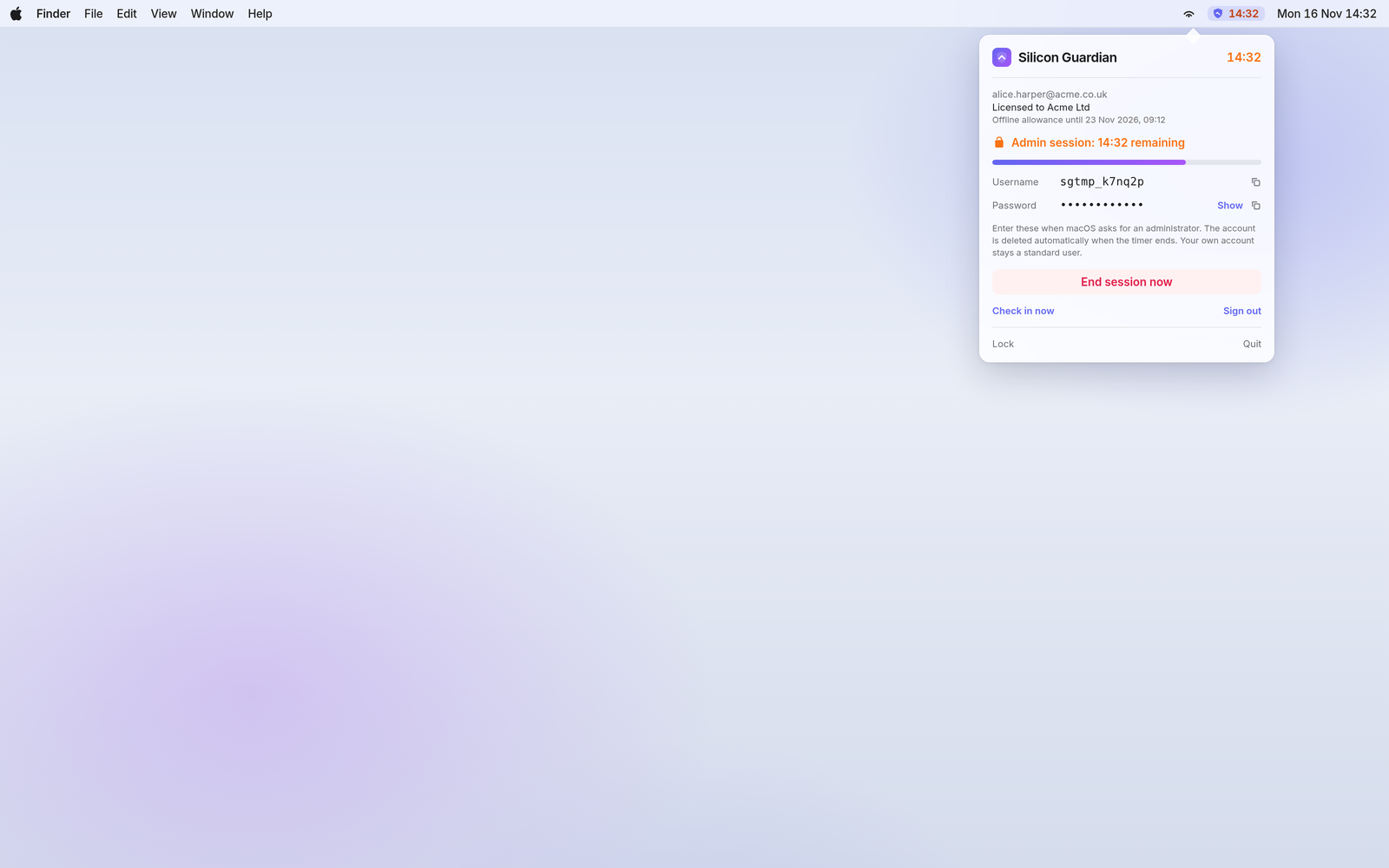
When a user needs to install an app or change a system setting, they open the Silicon Guardian menu-bar app and request access. After Touch ID or their Mac password, a hidden temporary admin account is created for 15 minutes (the default; the server can set the window, up to 60 minutes).
- The signed-in user’s own account is never added to the admin group.
- The temporary account is deleted when the timer ends, when the user taps End session, or if the Mac is restarted mid-session.
- A five-minute cooldown follows every session.
- Credentials appear in the menu bar for the duration of the session, with a live countdown.
Licensing
One seat per Mac
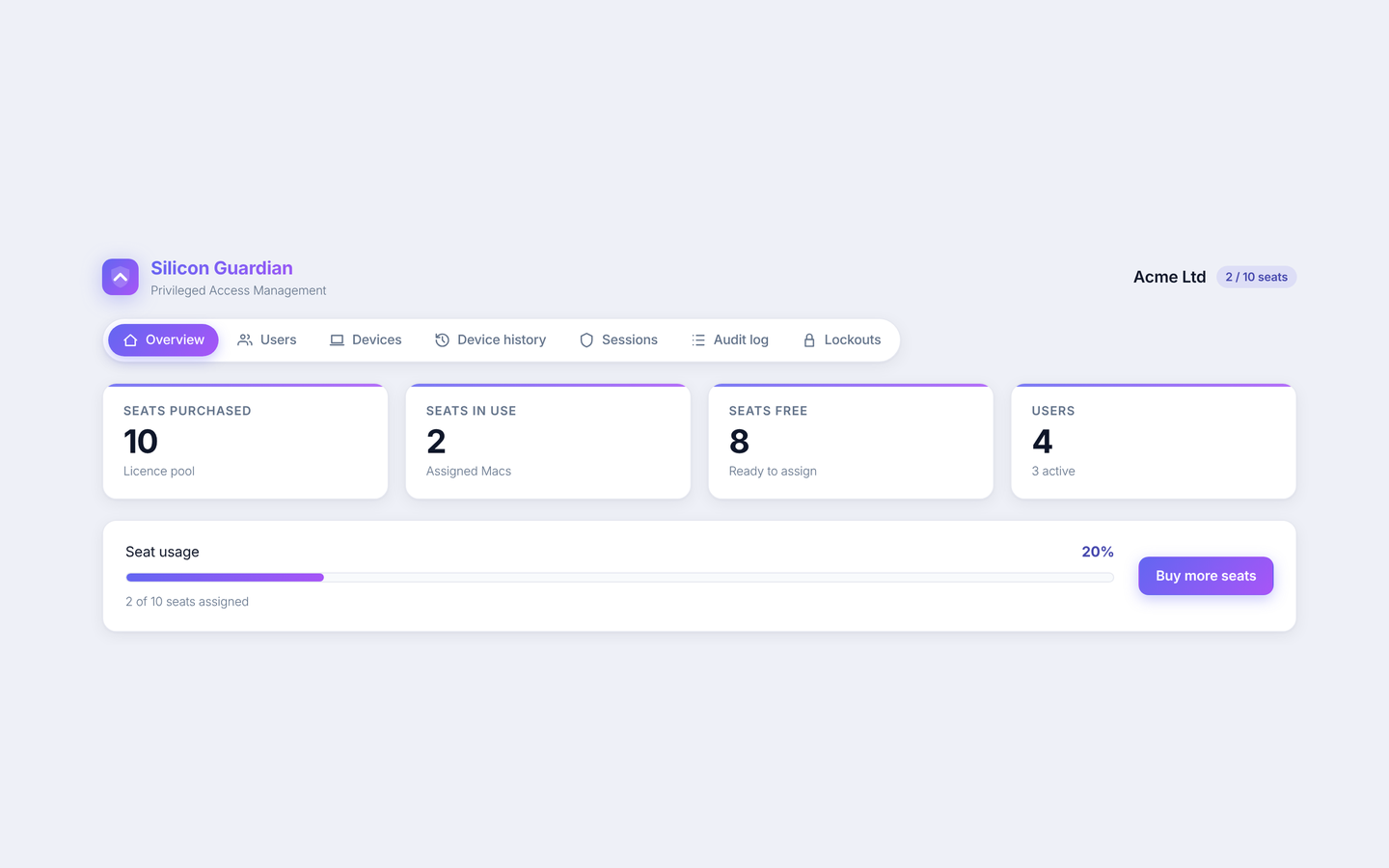
Buy a Team pack of 10 seats, then add individual seats as the fleet grows. The purchasing account becomes the organisation admin. The company name collected at checkout is used as the organisation name.
- A seat is used when a Mac is assigned to a user, and freed when you unassign it.
- Invite users by email; they must set a password and enrol MFA before signing in.
- Disable a user or unassign a device from My Account at any time.
- Buy more seats from the same account — additional seats are an add-on, not a second organisation.
Devices
A clear picture of every Mac
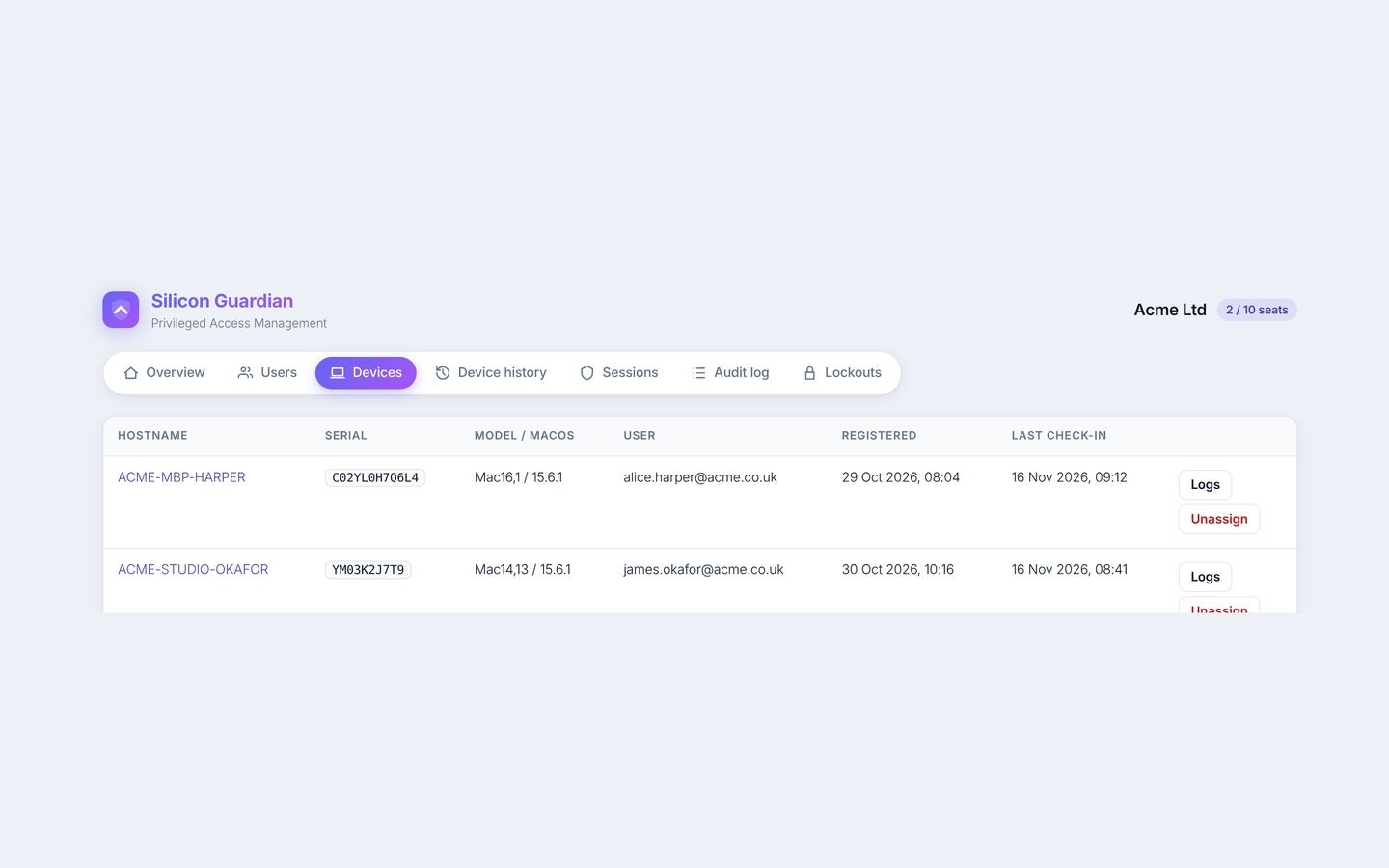
Each device is identified by its hardware UUID, serial number, hostname, model, macOS version and agent version. The app checks in once a day (and after wake if it has been more than six hours) to renew a seven-day signed licence lease.
Open any Mac to see its assignment history, elevation sessions and the activity it reported. That per-device log remains available after you unassign the machine and free the seat.
Sessions
Every elevation, in one place
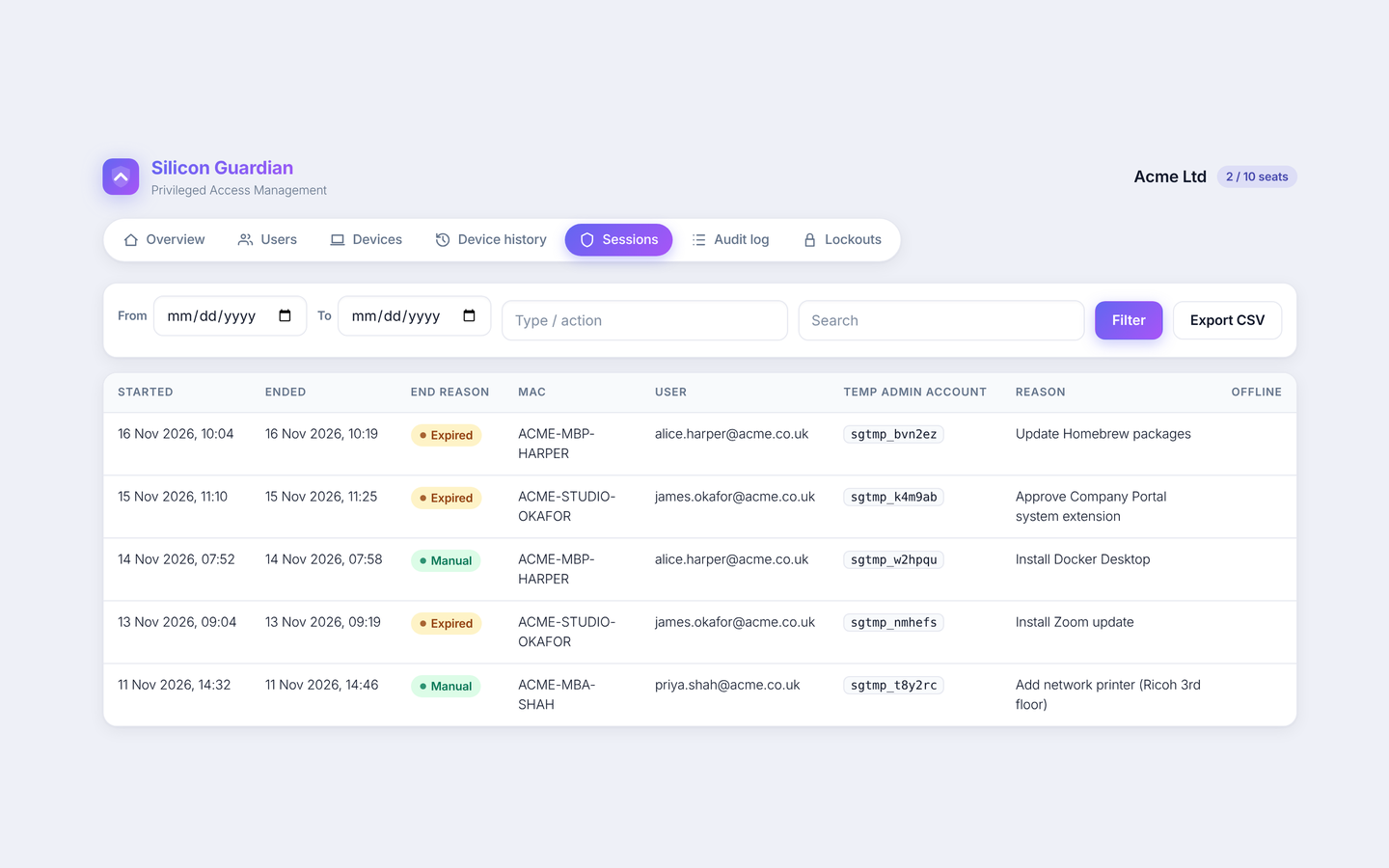
The sessions view lists who requested admin, on which Mac, which temporary account was created, the reason given, when the session started and ended, and how it ended — for example when the 15-minute timer expired, or when the user ended it themselves.
Filter and export the list when you need it for an internal review or an auditor.
Audit
An append-only, hash-chained log
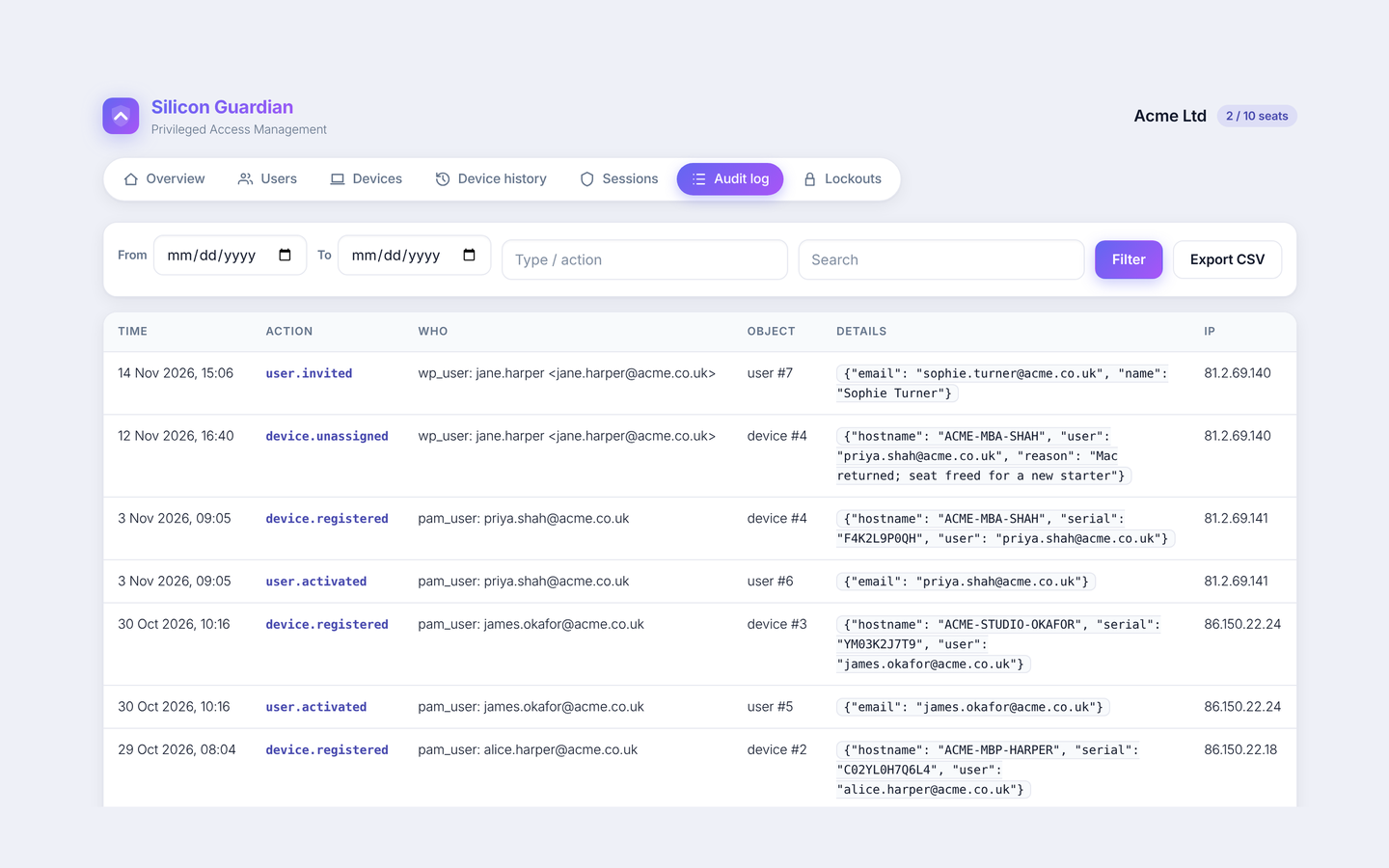
Invites, password and MFA resets, device registrations and unassignments, seat changes, lockouts and unlocks, and settings changes are written to an audit log that has no update or delete API. Each row stores a SHA-256 hash of the previous row, so tampering with history is detectable. Organisation admins can review and export their own log from My Account.
Onboarding
Password plus MFA, before anyone signs in
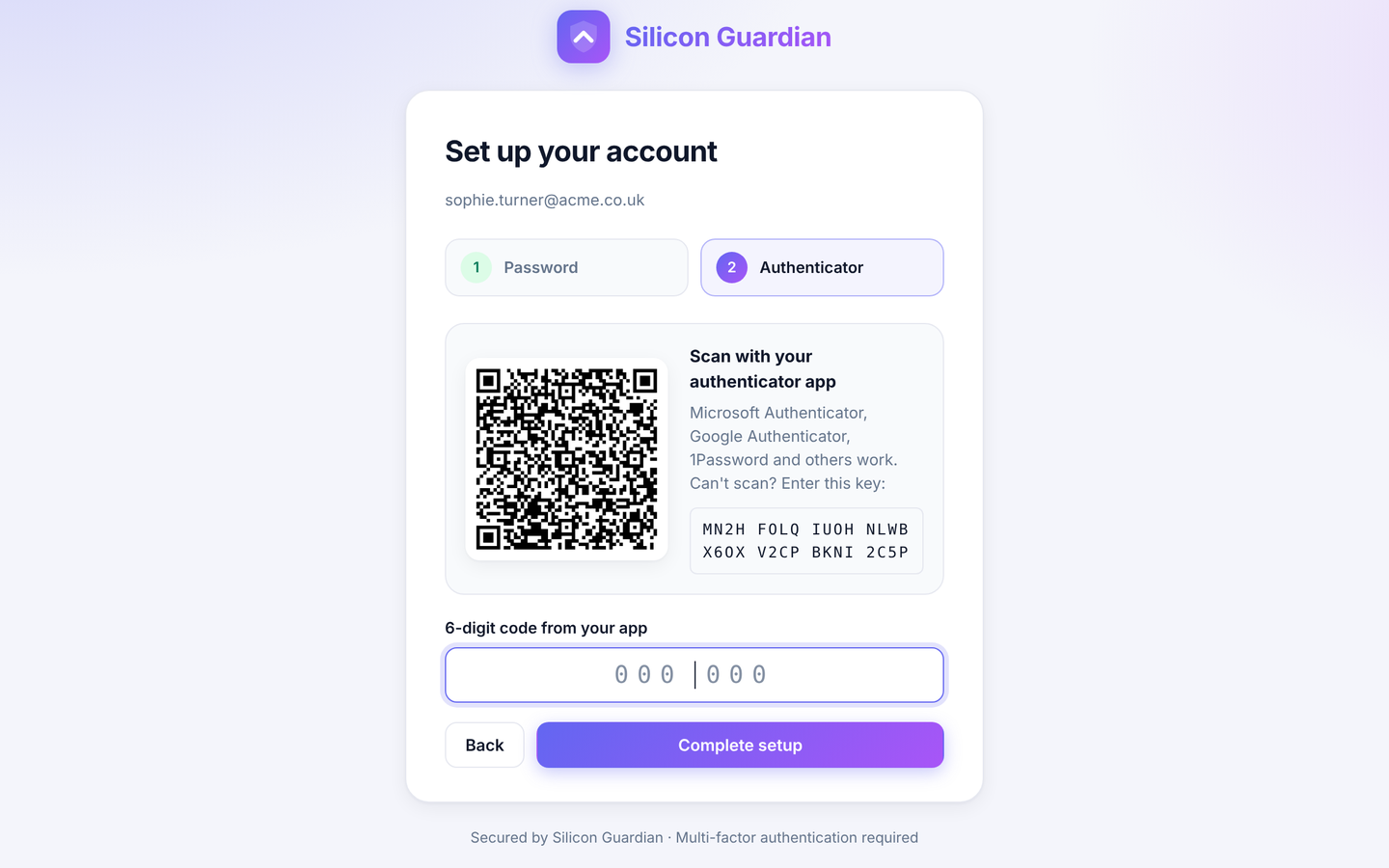
Invite links are single-use and expire after 72 hours by default. The recipient chooses a password (at least 12 characters) and must enrol a TOTP authenticator. The QR code is drawn in the browser, so the secret is not sent to a third-party QR service.
Organisation admins can resend an invite, reset a user’s password and MFA, or disable the account from the Users tab.
Deployment
Ships as a package for your existing MDM
Silicon Guardian is intended to be deployed with Microsoft Intune, Jamf Pro or Kandji. Push the configuration profile first so the privileged helper can run, then the installer package. Keep users as standard accounts with your MDM, and hold a separate break-glass administrator.
After you purchase seats, sign in to My Account for the installer and the Intune, Jamf and Kandji guides. A short overview is also on the download and docs page.
See how it fits together
Walk through purchase, invites, MDM and a first elevation — or go straight to pricing.